The sidebar is the column down the left of the window. The Showspace name sits at the top, the folders and pages inside it fill the middle, and your own name sits at the bottom.
Click a page to open it. Click a folder to filter the canvas to that folder. The tree always lists folders first, then pages, each in alphabetical order, and never rearranges itself, so you can find a page by remembering where you put it.
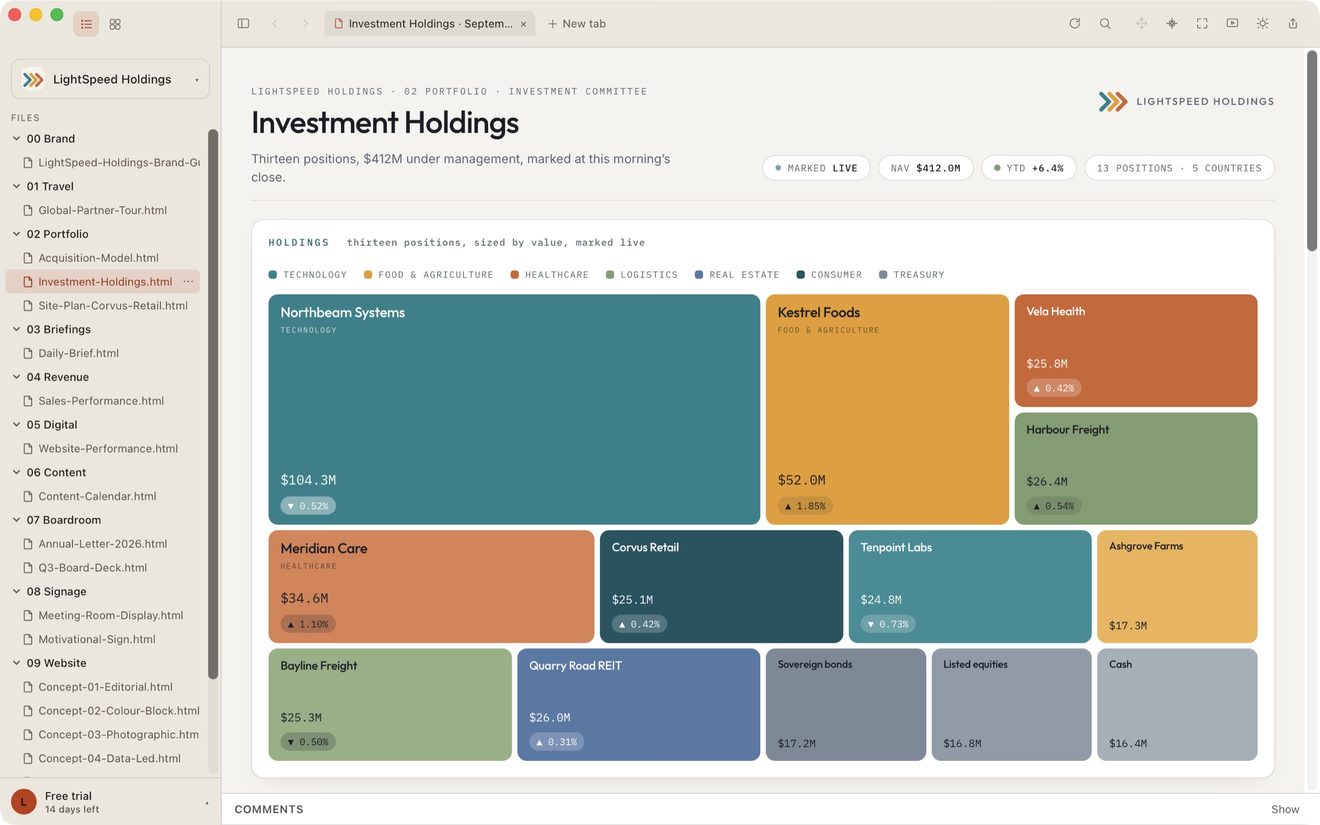
To give the page the whole window, click the sidebar button at the left end of the top bar, or choose Toggle Sidebar in the View menu. Do the same again to bring the sidebar back. Drag its right edge to make it wider or narrower.
The ⋯ beside a page
Every page carries a ⋯ button, on its row here and on its card in the gallery. Right-clicking the row opens the same menu.
- Copy link — the page's path within the Showspace. This is the string to paste into another page to link to this one.
- Copy path — the full path on your Mac, for handing to an agent or a terminal.
- Reveal in Finder — opens the folder it lives in, with the file selected.
- Download page and images — shown only for a page whose contents are still in the cloud. See iCloud and Google Drive: files still in the cloud.
Your account, at the bottom
Clicking it opens a short menu: Settings…, the Agent Helper, and Help, which brings you here. A trial copy also offers Activate license….
On a licensed copy the name shown is the one on your license. A trial copy shows Free trial and the days left instead. See Your name on your license.
Shortcuts
⌃⌘S hides and shows the sidebar. ⌘-click a page and it opens in a new tab. The arrow keys move through the sidebar, and Return opens the highlighted page. See Tabs and Keyboard shortcuts.
Still stuck? Write to support@lite.computer.