Click the share button at the right end of the top bar, then Showspace health. It reports on the Showspace you have open.
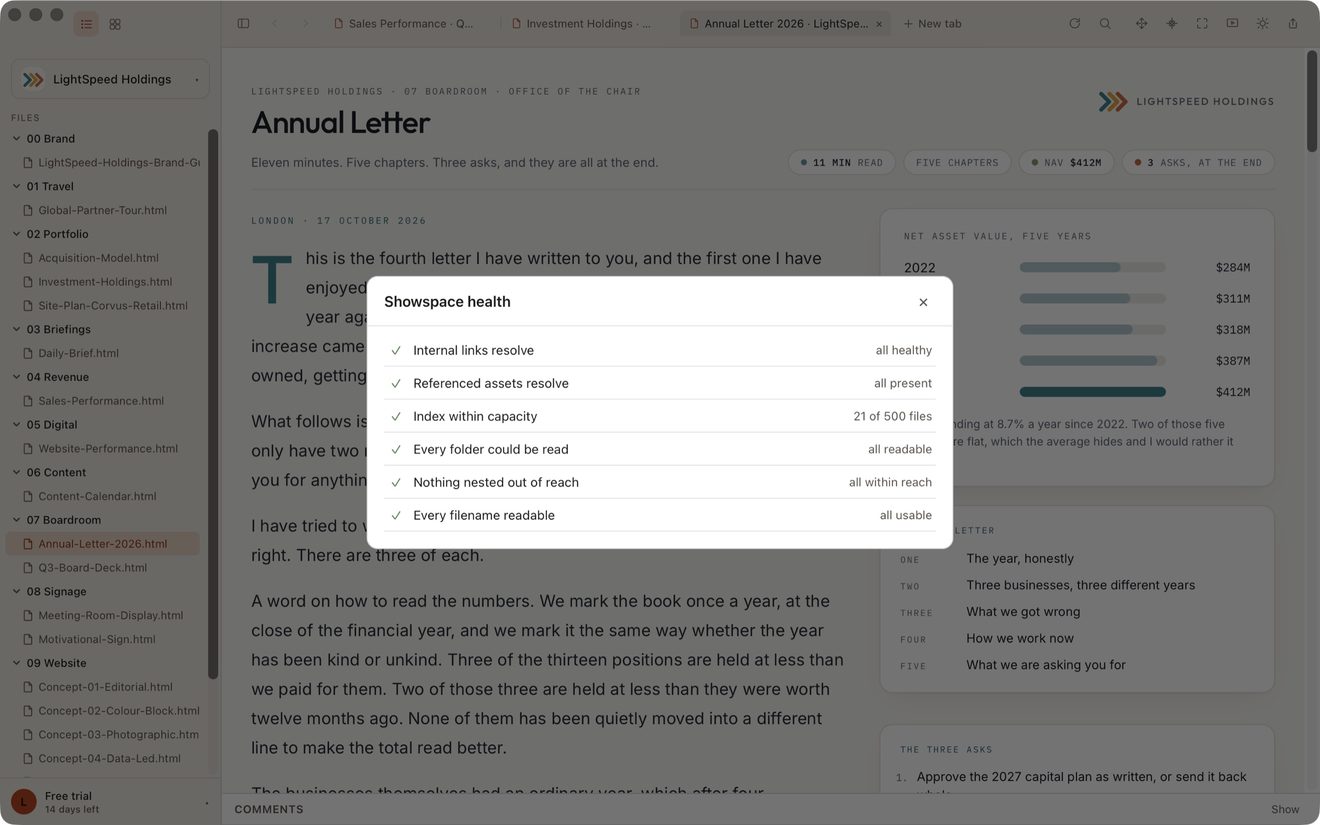
What it checks
- Broken links — a page linking to a page that does not exist. You get the page it is in and the name it is looking for, which is the part you can act on. See How links between pages are found.
- Missing images — a picture, stylesheet or font a page asks for that is not in the Showspace. It happens when an agent writes a page that expects a file beside it and never writes the file.
- How full the index is — the app indexes up to 2,000 pages. Past that, a page is real on your disk and absent from the app's list.
- How much it could read — folders macOS refused it, folders nested deeper than it walks, and names it cannot index.
When a check is incomplete
If the app could not read the whole Showspace, it marks the link and image checks as incomplete and lists the reasons below. See When the app cannot read a folder.
A page still waiting in the cloud is skipped rather than judged. The app has not read it, so it says nothing about it. See iCloud and Google Drive: files still in the cloud.
Your agent sees the same report
This is the exact answer get_diagnostics gives your agent, not a similar one. So you can read it, then say “fix the broken links” and the agent is working from what you just saw. See Every command your AI has.
The app reports. It never repairs a page by itself.
Still stuck? Write to support@lite.computer.