Click Search in the top bar and type. The sidebar and the gallery both narrow as you go, so whichever view you are in filters with you.
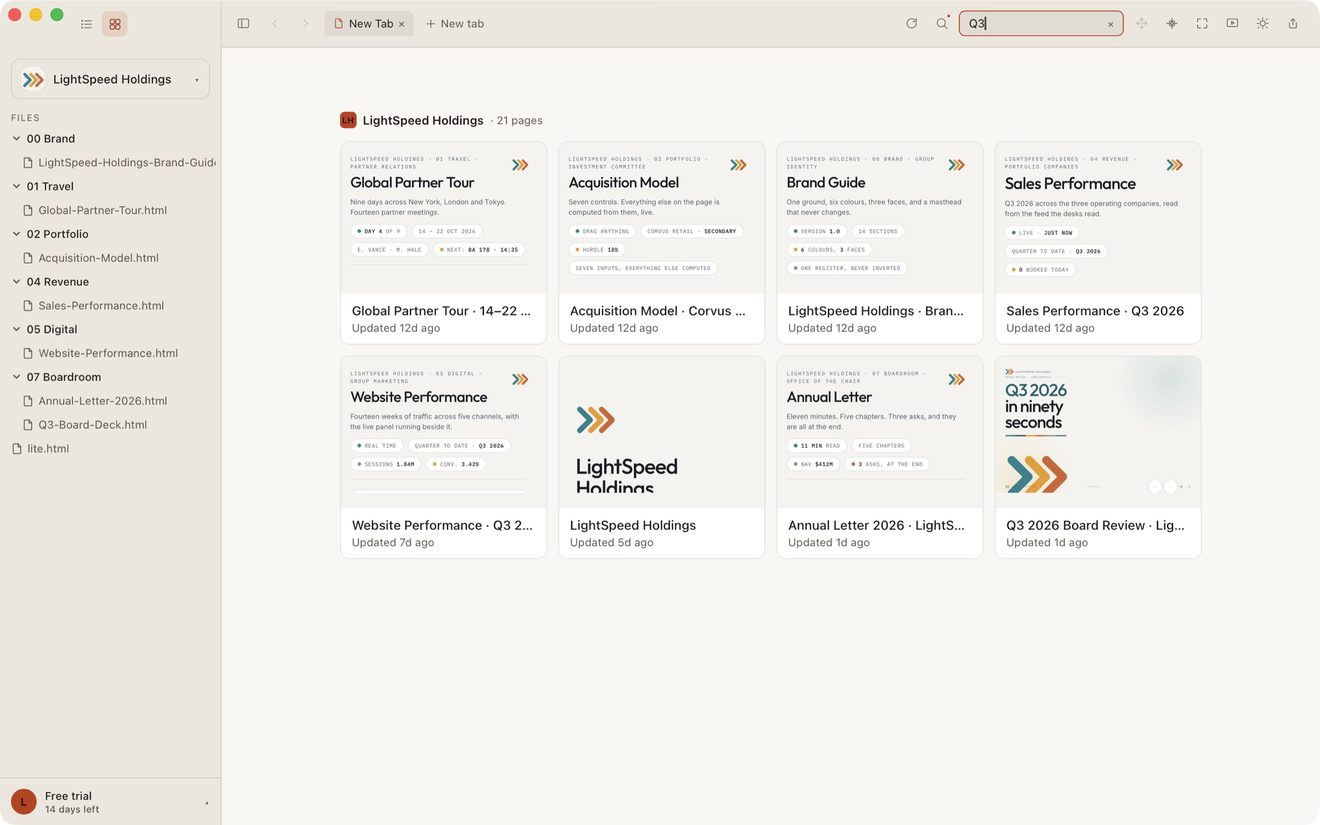
Three things are searched
- The page's title — the
<title>the page carries, which is also the label under its gallery card. A page the app has not been able to read yet falls back to its filename. - The filename — agents name files by convention, so a date stamp or a version number is often the only handle you have on a page, even when it appears nowhere in the title or on screen. Typing
2026-08finds everything written that month. - The text inside the page — the words you would read if you opened it.
Clearing it
Click the × at the end of the field, or empty it. Everything comes back.
A page whose contents are still in the cloud has no text to search yet, so it is matched on its title and filename only. See iCloud and Google Drive: files still in the cloud.
When you would rather look than search
Search is for a page whose name you cannot fully remember. For a page you would recognize but could not name, use Gallery View instead and look at the thumbnails.
Shortcuts
⌘K opens search.
Still stuck? Write to support@lite.computer.