A comment is a note you attach to a page without changing the page. Your own pages are never edited by the app, so nothing you write here appears to anyone reading the file.
Use comments to tell your AI what to change. After you finish reviewing, ask it to read your comments and update the page.
Writing one
Click the collapsed comment strip below the page, write your note in the box, and press Post.
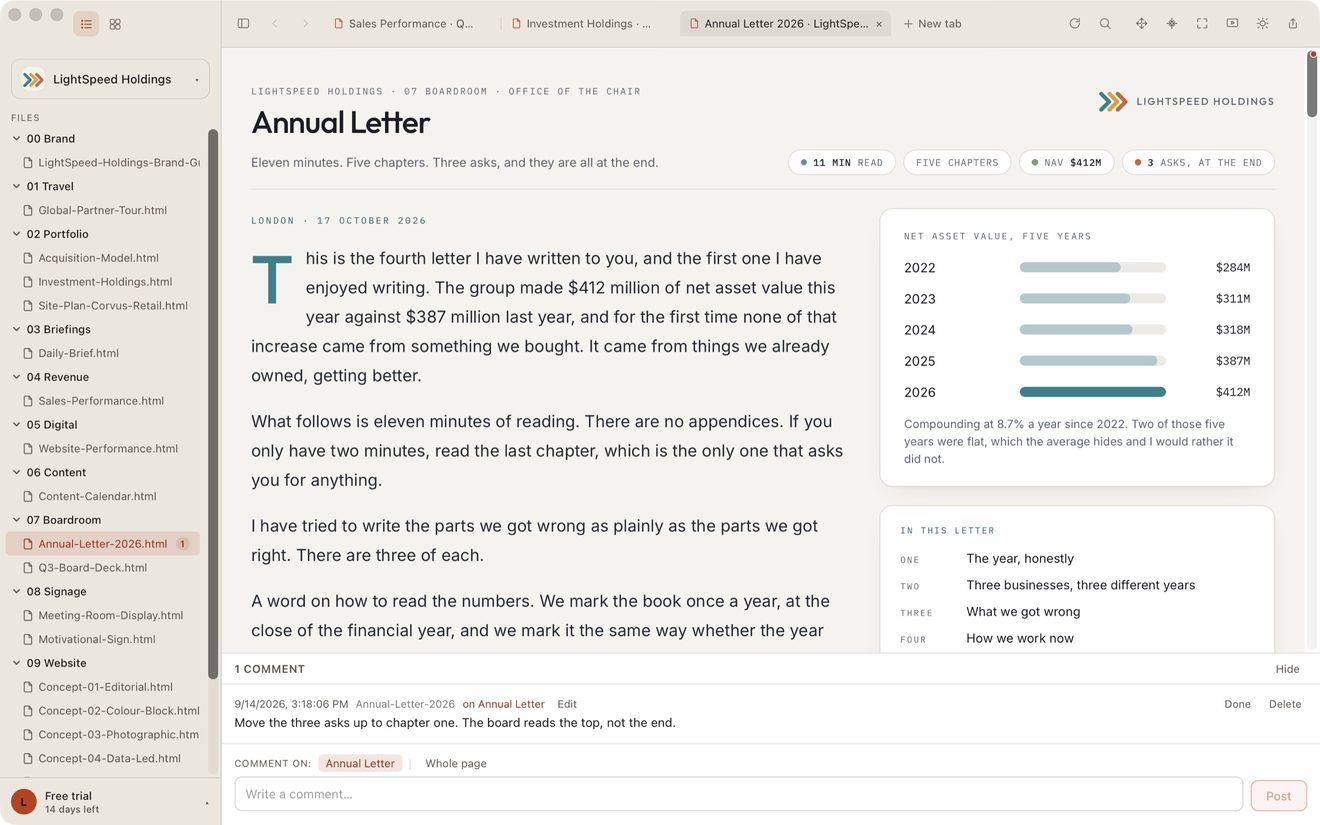
Choose whether the comment applies to the current heading or the Whole page. A heading helps your AI find the section you mean.
Pinning a note to one spot
Click the Comment button at the top of the window, or press C. The page gets a colored frame and a banner, and whatever is under your pointer is outlined.
Click the thing you mean: a heading, a chart, a card, a line of text. The comment strip opens with Pinned to: and the words you clicked. Write your note and press Post.
While comment mode is on, your clicks don't reach the page, so links and buttons stay put. You can still scroll to reach anything further down. Press Esc or click Comment again to go back to reading.
Changed your mind? Click the × beside Pinned to: and the note goes on the whole page instead.
Example: on a sales dashboard, click the March revenue figure and write “This should include the refunds.” Your AI reads the note and knows which number you meant.
Finding them again
While the comment strip is open, pinned notes show as numbered pins on the page. Click a pin and the strip brings its note into view. Click the pin number on a note, such as Pin 2, and the page scrolls to its spot.
When your AI rewrites the page, each note looks for its spot again. If it finds the spot but the words there changed, the note says edited since you commented; hover over it to see what they said before. If it can’t find the spot, it says Spot not found. The note is kept either way.
Example: you pinned “This should include the refunds” to the March revenue figure. Your AI updates the figure. The pin stays on the March figure, and the note shows the figure was edited.
Comments attached to headings appear as marks along the right edge of the page. Click a mark to jump to the heading and open its comment.
In the file list and the gallery, a page with open notes carries a count. Only unfinished notes are counted, so the number tells you what is still waiting.
Done, edit, delete
- Done marks a comment as resolved. It stays visible in gray and no longer counts as unfinished. Reopen marks it as unfinished again.
- Edit fixes the wording without losing the note's place in the thread or its time.
- Delete removes it for good.
Use Done to keep a record of the request. Use Delete to remove it permanently.
Where they live
In .lite/comments.json, inside your Showspace. That is why an agent can read them, and why renaming a page needs a word to your agent. See The .lite folder and Renaming, moving and deleting.
If a heading is removed or renamed, its comment stays saved and shows that the original heading could not be found.
Comments are hidden while you present. They are your notes on the page, not part of it. See Presentation Mode.
Still stuck? Write to support@lite.computer.